
Pro Soccer Online Game: A Practical Guide to Competitive Soccer on PC
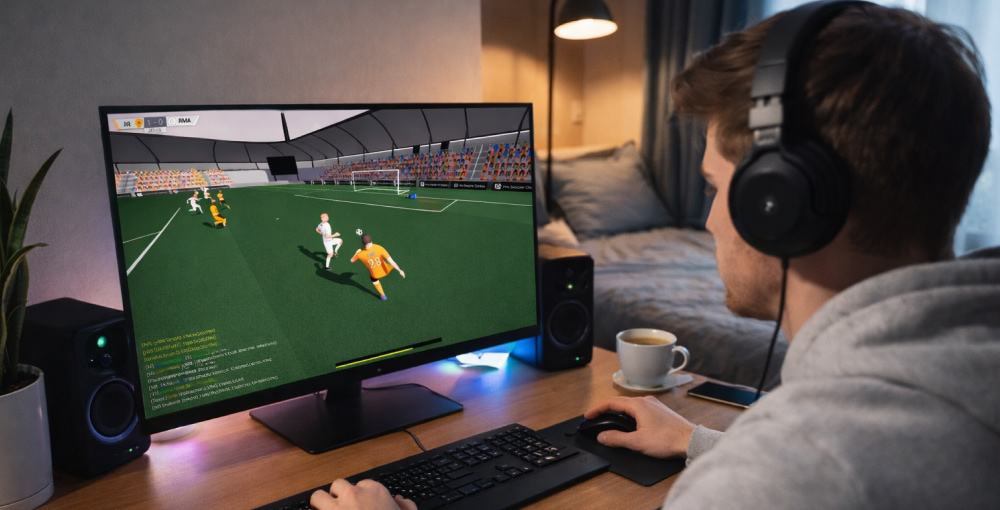
Play Pro Soccer Online Game on PC
Download NowFast matchmaking, skill-based movement, and the rush of a last-minute winner are what make online soccer so addictive. If you want a clean starting point, the Pro Soccer Online game fits a “pick up and play” style while still rewarding practice with tighter touches, smarter passing lanes, and better timing.
Below you’ll find a player-focused walkthrough: what to expect, how to improve quickly, and how to set up a smooth experience on a Windows PC without turning the process into guesswork.
What the Match Flow Feels Like
Most sessions follow a simple rhythm: join a lobby, select a role, and coordinate with teammates to build attacks. When communication is good, you’ll notice fewer aimless sprints and more purposeful off-ball runs, which is where goals often start.
- Possession mindset: recycle the ball when lanes close instead of forcing a through pass.
- Spacing: keep triangles visible so the ball always has at least two safe outlets.
- Tempo control: slow down after a turnover to reset shape, then accelerate on the counter.
Core Mechanics That Win Games
Mechanical consistency matters more than flashy tricks. Build your advantage with repeatable habits: first-touch direction, quick give-and-go passes, and disciplined defending that blocks lanes before you tackle.
- Take your first touch away from pressure, even if it’s only a half-step.
- Pass to where your teammate will be, not where they are standing.
- Defend by shadowing the dribbler’s options, then poke when the ball is exposed.
If you’re introducing friends, it helps that the Pro Soccer Online game free to play option lowers the barrier to forming a regular squad, and consistent teammates are the easiest “upgrade” you can get in any competitive title.
“In online soccer, the best highlight is often the pass that never shows up in the replay because it prevented a counter and kept your team in control.”
Picking Roles and Playing as a Unit
Roles are less about labels and more about responsibilities. A reliable defender keeps angles tight and clears danger calmly, while a smart attacker creates space by dragging markers away from the ball.
| Role | Primary Job | Quick Tip |
|---|---|---|
| Defender | Protect central lanes | Backpedal early; tackle late |
| Midfielder | Link play and recycle possession | Turn on your first touch |
| Forward | Create chances and finish | Shoot early when the keeper sets |
Performance and Smooth Controls on PC
Online sports games feel best when input is responsive and frame pacing is stable. Start with sensible settings: cap your FPS to what your monitor can reliably hold, reduce heavy visual effects if you see stutters, and keep background apps from spiking CPU usage during matches.
- Use a wired connection if possible to reduce packet loss and jitter.
- Close overlays you don’t need, especially ones that hook into games.
- Calibrate sensitivity so small stick or mouse movements don’t oversteer.
When players ask for a full Windows setup, the phrase Pro Soccer Online free to download for PC full game usually points to wanting the complete desktop experience with stable performance and clear, controller-friendly UI.
How to Improve Quickly Without Burning Out
Skill grows faster with focused practice than endless matches. A short warm-up routine makes your first games of the day much cleaner, especially for passing and defending.
- 10 minutes: first-touch drills receive, turn, pass; repeat with both directions.
- 10 minutes: defending reps mirror the attacker, block the lane, tackle only when safe.
- 5 minutes: finishing shoot near post, far post, then low driven shots.
If you’re on a budget or setting up a secondary machine, Pro Soccer Online game for free can be a practical way to keep playing with friends without overthinking subscriptions or upgrades.
Downloading and Installing Safely
For any PC title, the safest routine is consistent: use official storefronts, confirm publisher details, and keep your system updated. Avoid third-party “boosters” and unknown installers that promise miracles; a stable PC and clean network settings do more for your matches than any gimmick.
Some guides phrase the process as game Pro Soccer Online to emphasize the “jump straight into matches” appeal, but you’ll still benefit from spending a minute on basic setup like audio levels, push-to-talk, and controller mapping.
Quick Setup Checklist
- Set your preferred input (controller or keyboard/mouse) and lock it in.
- Reduce unnecessary motion blur or heavy post-processing if you feel delay.
- Enable clear teammate indicators so you always see your next pass.
- Test a practice session before ranked or competitive play.
Team Etiquette That Improves Win Rate
Mechanical skill helps, but teamwork wins. Call simple info “man on,” “switch,” “one more” and keep criticism out of comms during the match. If someone misplays, the fastest recovery is a calm reset and smarter positioning on the next possession.
When you see the instruction download Pro Soccer Online game in community posts, pair it with a good habit: verify the source, then focus on in-game fundamentals like spacing and decision-making, because that’s what actually carries over from match to match.
Mini FAQ
Is it better with a controller or keyboard?
Use what feels consistent; many players prefer controller for analog movement, while others like keyboard/mouse for quick directional changes.
What’s the biggest beginner mistake?
Chasing the ball as a group. Hold shape, cover lanes, and let the nearest player pressure.
How do I stop conceding on counters?
Keep at least one player disciplined behind the ball, and don’t attempt risky passes through the center when your team is stretched.
With a steady setup and a few repeatable habits, you’ll notice cleaner touches, smarter runs, and more goals that come from teamwork rather than luck.